Buy off-the-shelf when your sales and service process is standard. Extend the SaaS you have when it covers most of the job and the gaps are integrations or automation. Build a custom CRM when your process is your edge, when you are paying for workarounds, or when the CRM must sit at the centre of systems no plug-in connects. AI makes a prototype cheap; it does not make a production CRM cheap, so judge on data, integrations and ownership.
Every growing company has the same moment. The CRM that felt perfect two years ago now does most of what you need, and the rest happens in spreadsheets, inboxes and someone’s memory. The question on the table: keep paying and patching, or build something of your own?
There is no universal answer, and anyone who gives you one is selling something. Here is how we think about it when clients ask us for CRM development, including the times we tell them not to build.
Three options, not two
The debate is usually framed as “buy or build”. In practice there are three paths:
- Off-the-shelf, configured. A SaaS CRM, set up with your fields, stages and reports. Fast to start, maintained by the vendor.
- Off-the-shelf, extended. The same SaaS, plus custom modules, automations and integrations built on its API. Your team keeps the screens it knows; the gaps get closed.
- Custom CRM. A system built around your process and data model, which you own outright.
Most organisations that think they need option 3 actually need option 2. Some that are stuck on option 2 have quietly outgrown it.
The decision table
Score your situation honestly against each row. The column with the most matches is your starting point.
| Signal | Off-the-shelf | Extend the SaaS | Custom CRM |
|---|---|---|---|
| Your sales or service process | Standard for your industry | Mostly standard, a few unusual steps | Unusual, and part of how you win |
| Data model | Contacts, companies, deals | A few custom objects | Your own entities (assets, cases, donors, sites, properties) with complex relations |
| Integrations needed | Email, calendar, a few common tools | Several, including one or two internal systems | Many, including legacy or in-house systems with no plug-in |
| Workarounds today | Few | Some spreadsheets and copy-paste | Whole teams working outside the CRM |
| Who changes the system | An admin, in settings | Admin plus a developer for the API work | Your own roadmap, on your schedule |
| Licensing model | Per-seat cost is fine | Per-seat cost is fine | Per-seat cost hurts as you add users, partners or field staff |
| Data ownership and location | Vendor terms are acceptable | Vendor terms are acceptable | You need full control over where data lives and how it is processed |
If you land between columns, start with the cheaper one and design so you can move later. A clean data model and well-documented integrations make every future move easier.
The hybrid path: extend before you replace
Extending a SaaS CRM is underrated. Typical work in this lane:
- Custom modules inside the CRM for the process the vendor does not model.
- Integrations with your ERP, billing, telephony, website forms or internal systems, so each lead and customer enters once.
- Automations for routing, follow-up tasks, reminders and status updates.
- An outside app for a specific team (field staff, partners, volunteers) that reads and writes to the CRM through the API, so they do not need full licences.
- Reporting that pulls CRM data together with data from other systems.
Watch for the point where extending stops paying off: when most new requests are fights with the vendor’s limits, when API quotas or per-seat licences start driving architecture decisions, or when the “extensions” hold more business logic than the CRM itself. That is usually the signal to plan a custom build, ideally reusing the integrations you already wrote.
CRM plus an AI assistant
AI changes what a CRM can do day to day, whichever path you choose. Patterns that earn their place:
- Summaries of long email threads and call notes on the contact record.
- Draft replies to new leads and service requests, approved by a person before sending.
- Prioritisation: which leads and cases need attention first, based on your own history.
- Natural-language search: “show me open deals in Ontario with no activity in two weeks”.
- Data hygiene: spotting duplicates and missing fields before they spread.
The catch is that an AI assistant is only as good as the data it can see and the actions it is allowed to take. On a SaaS CRM, you are limited by the vendor’s AI features and APIs. On a custom CRM, the assistant can work on your whole data model, with permissions you design. We run a CRM with an AI assistant on our own lead pipelines, and the lesson has been consistent: the quality of the data model and the guard rails matter more than the choice of model. If AI is the main reason you are considering a change, read our AI development approach first.
Vibe-coded prototype vs production CRM
AI coding tools have made it easy to generate a working CRM prototype in an afternoon. That is genuinely useful: you can put real screens in front of your team and learn what they need before writing a specification.
It is not a production system. Here is what usually separates the two:
| Concern | Prototype | Production CRM |
|---|---|---|
| Users and permissions | One admin login | Roles, teams, field-level access, audit trail |
| Data | Sample records | Migrated history, deduplicated, validated |
| Integrations | A happy-path API call | Retries, error handling, monitoring, rate limits |
| Security | Default settings | Encryption, backups, access reviews, privacy compliance |
| Change | Regenerate and hope | Versioned code, tests, safe releases |
| Ownership | Whoever built it | Documented, with someone accountable for uptime |
Use the prototype as a living specification. Then build the production system properly, or hand the prototype to an engineering team that will rebuild what needs rebuilding and keep what works.
What drives the cost (no price list, on purpose)
We do not publish prices for CRM work because two “custom CRMs” can be completely different projects. These are the factors that move the scope:
- Entities and workflows: how many objects, stages and rules.
- Integrations: how many systems, and whether they have decent APIs.
- Data migration: volume, quality, and how many old systems you are merging.
- Permissions and security: roles, partners, external users, privacy requirements.
- Interfaces: web only, or also a mobile app for staff in the field.
- AI features: assistants, summaries, search, and the guard rails around them.
- Reporting: dashboards inside the CRM or a separate analytics layer.
- Running costs: hosting, monitoring, maintenance and the roadmap after launch.
Compare the full picture over several years: licences and workaround time on one side, build and run costs on the other. Make sure you count the hours your team spends outside the system today.
Questions to ask before you build (or before you buy)
- Which three things does the team do outside the CRM every week, and why?
- Which entity in our business does the current CRM model badly?
- Which systems must the CRM read from or write to, and do they have APIs?
- Who will own the roadmap after launch, internally and externally?
- Where must our data live, and who may process it?
- How will we migrate history without losing trust in the data?
- Can we start by extending what we have, and what would make us stop?
- What will we measure in six months to know it was the right call?
And for any partner you talk to: who owns the code and the database, what happens if we part ways, and can you show us a system of comparable complexity you still support?
How we approach it
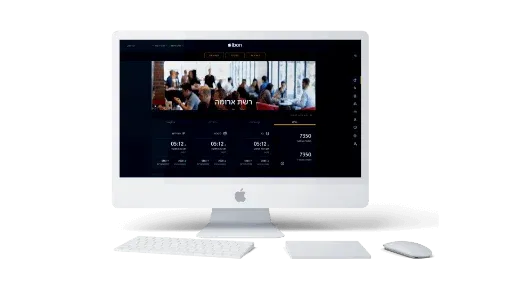
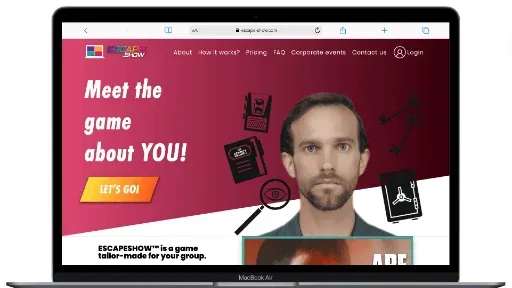
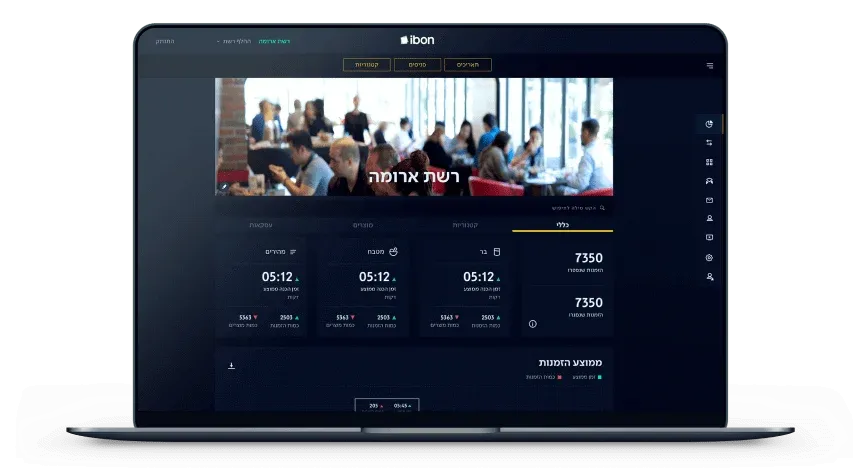
Most of our systems work is the data-and-integration layer that sits under a CRM. We serve as CTO for ibon, a management platform for the food industry with real-time inventory and production tracking. For Escape Show we built a customer booking interface and a full back office for operations. We will tell you honestly whether to buy, extend or build, and if building wins, our custom software development team delivers it with you owning every line.
If you are weighing the decision now, send us a short description of your process and your current tools. We will come back with the path we would take and the reasoning behind it.