Start with work, not with tools: list the repetitive tasks that eat your team's time, score them on value, data readiness and risk, and pilot the top one on real data with a measure agreed in advance. Design for privacy from day one (PIPEDA, Quebec's Law 25, Israel's Privacy Protection Law), connect the AI to the systems people already use, and only scale what the numbers back.
Most organisations do not have an AI problem. They have a “where do we even start” problem. Leadership wants a plan, staff are already pasting company documents into chatbots, and every vendor has a demo that looks great on a clean sample file.
This guide is the roadmap we use with clients when we run AI implementation projects. It is written for the person who has to make AI work on a Monday morning, not for a keynote.
Step 1: a readiness check you can do in an afternoon
Skip the long maturity model. Answer these eight questions honestly. Each “no” is not a blocker, it is a task for your plan.
- Can you name three tasks that are repetitive, text-heavy and take real hours every week?
- Do you know where the data for those tasks lives? (Which system, which folder, which inbox.)
- Can you get to that data through an export, an API or a database, without a months-long IT ticket?
- Is there a person who owns each task and will judge whether the AI output is good?
- Do you have a written rule on what staff may and may not paste into public AI tools?
- Do you know which of that data is personal information, and under which privacy law?
- Is there a budget owner who will decide, after a pilot, whether to scale or stop?
- Can the systems people use daily (CRM, help desk, intranet) accept an integration?
If you have five or more “yes” answers, you are ready to pick use cases. If you have fewer, the first phase of your roadmap is data access and a usage policy, and that is still real progress.
Step 2: pick use cases with a scoring table
The fastest way to waste an AI budget is to start with the most exciting idea instead of the most useful one. We score every candidate on three axes, from 1 (poor) to 5 (strong):
- Value: hours saved, faster response, fewer errors, or revenue touched.
- Data readiness: is the data available, reasonably clean and reachable by a system?
- Risk (scored in reverse, so 5 means low risk): what happens if the AI is wrong, and who sees the mistake?
Multiply the three and rank. The top one is your first pilot; the next two are your shortlist. Here is a worked example for a fictional mid-size services company:
| Use case | Value | Data readiness | Low risk | Score |
|---|---|---|---|---|
| Summarise and route incoming support emails | 4 | 5 | 4 | 80 |
| Internal assistant that answers from HR and IT policies | 3 | 4 | 4 | 48 |
| Draft first replies to sales leads in the CRM | 4 | 4 | 3 | 48 |
| Extract fields from supplier invoices into the ERP | 4 | 3 | 3 | 36 |
| Auto-approve customer refunds | 5 | 3 | 1 | 15 |
The refund idea has the highest value and the worst score, because a wrong decision lands directly on a customer. That does not mean never. It means later, with a human approval step, once the team trusts the system.
Two rules make the table work. First, score with the people who do the work, not only with management. Second, write one sentence next to each score explaining it, so the decision survives the meeting.
Step 3: from pilot to production
A pilot should answer one question: does this save enough time, at acceptable quality, to be worth running for real? To get a straight answer:
Before the pilot
- Agree on one or two measures (for example, minutes per ticket, or share of tickets closed without escalation) and record the current baseline.
- Use real data, with the permissions it will have in production. A pilot on sanitised samples proves nothing.
- Pick a small group of real users and a fixed period.
During the pilot
- Put the AI inside the tool people already use. A separate app gets abandoned.
- Keep a human in the loop for anything customer-facing. The AI drafts, a person approves.
- Log every question and answer. You will need the logs for quality checks and for privacy.
Moving to production
This is where most of the engineering lives: integrations with the CRM or help desk, role-based access, monitoring, a fallback when the model provider is slow, cost controls, and someone who owns the system after launch. If you plan for these during the pilot, the move to production is a release, not a rebuild. Our AI development work is mostly this part.
Step 4: data and privacy, designed in, not bolted on
AI systems read exactly the information privacy laws care about: customer messages, employee records, health and financial details. Treat privacy as a design input from the first week.
- Canada: PIPEDA governs how private-sector organisations collect, use and disclose personal information. Quebec’s Law 25 adds stronger obligations, including privacy impact assessments for certain projects and transparency when decisions are made by automated processing.
- Israel: the Privacy Protection Law and its Amendment 13 raised the responsibility organisations carry for the personal data they hold and process.
In practice, that means a short list of design decisions, made early and written down:
- Map which personal information enters each AI workflow.
- Decide what is sent to an external model provider and what never leaves your environment.
- Choose providers and settings where your business data is not used to train their models.
- Mask or remove identifiers before text reaches the model, where you can.
- Restrict access by role, and keep logs of who asked what.
- Tell people when an automated system is involved in decisions about them.
We are engineers, not lawyers. Your counsel or privacy officer makes the legal calls; a good build team makes sure the system can follow them.
Step 5: why pilots stall (and how to avoid each one)
| Why it stalls | What it looks like | What to do instead |
|---|---|---|
| No success measure | “Everyone liked the demo” | Agree on a baseline and a target before you start |
| Not connected to real work | Users must copy and paste into a separate tool | Integrate into the CRM, help desk or intranet |
| Permissions unclear | Security blocks the rollout at the last minute | Involve security and privacy in week one |
| No owner after the pilot | The pilot team moves on, quality drifts | Name a business owner and a technical owner |
| Scope creep | The pilot becomes a platform | Ship one use case, then add the next |
| Trust gap | Staff double-check everything, so no time is saved | Show sources, start with low-risk tasks, share results |
Step 6: measure what matters
Measure the work, not the AI. “Accuracy” alone is not a business result. Track:
- Time per task before and after, from system timestamps where possible.
- Adoption: how many of the intended users actually use it each week.
- Quality: a weekly sample reviewed by the task owner, with a simple good / needs edit / wrong rating.
- Escalations and corrections: how often a person has to step in, and why.
- Running cost per task, so the business case stays honest as usage grows.
Review these monthly. Keep what earns its place, fix what is close, and switch off what does not deliver. Switching something off is a sign the process works.
Where an engineering team makes the difference
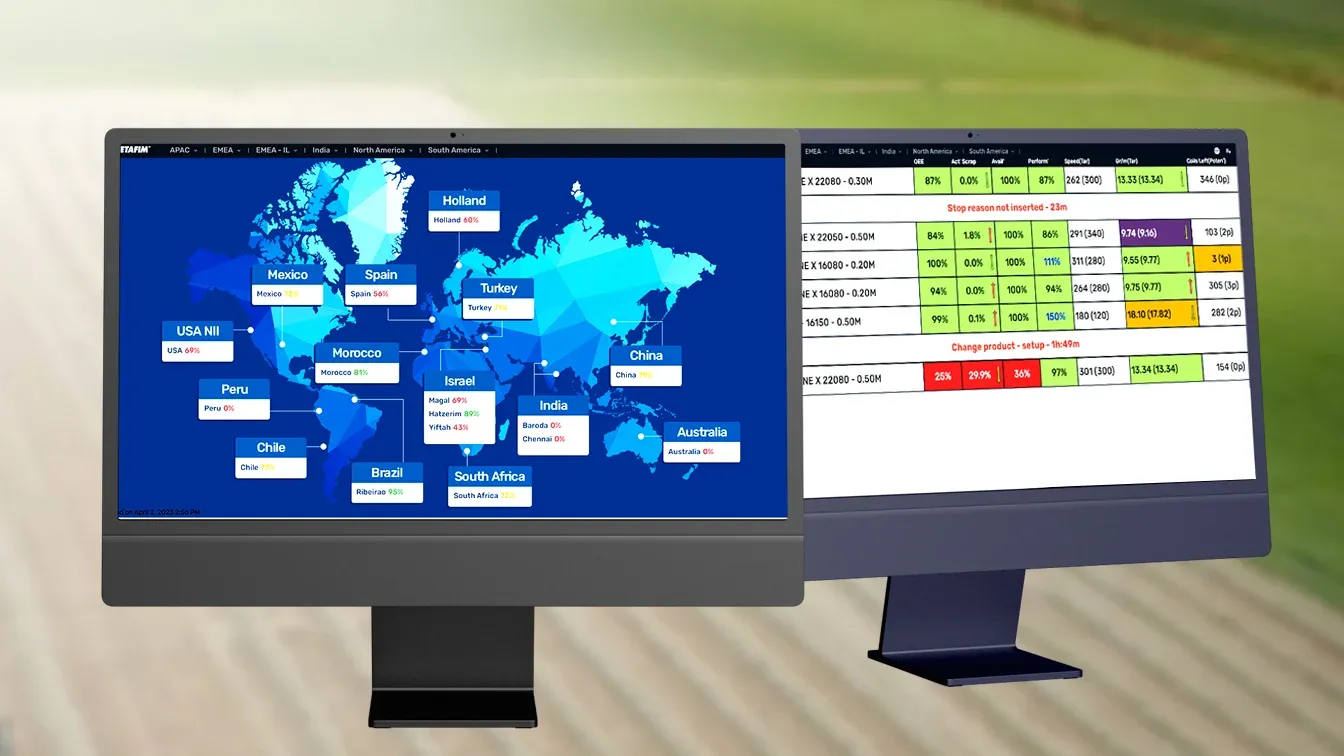
AI is only as good as the data and systems around it. The hard part is rarely the model. It is the integrations, the permissions and keeping it running in production. That is the same engineering behind ibon, the food-industry management platform we serve as CTO, and the real-time OEE application we built for Netafim. Neither is an AI project, but both are the kind of data and systems work that decides whether an AI project survives contact with real users.
If AI needs to live inside your sales process, our CRM development team builds that too. We run a CRM with an AI assistant on our own lead pipelines, so we know which parts hold up in daily use.
Want a second opinion on your shortlist? Send us your top three use cases and we will tell you which one we would pilot first, and why.